On OpenShift#
The Hibernation Operator is a Red Hat Certified Operator available on the Red Hat Marketplace and OperatorHub in OpenShift.
This page describes how to install the Hibernation Operator on OpenShift, either through the OperatorHub UI or declaratively with the CLI. To remove the operator, refer to Uninstalling.
Requirements#
- An OpenShift cluster (v4.10 or higher recommended)
cert-manager is not required on OpenShift. OLM manages the certificate for the validating admission webhook itself.
Installing via OperatorHub UI#
- In the OpenShift Console, navigate to Operators → OperatorHub from the left sidebar.
- Search for
Hibernation Operatorand click on the tile. - Click the Install button.
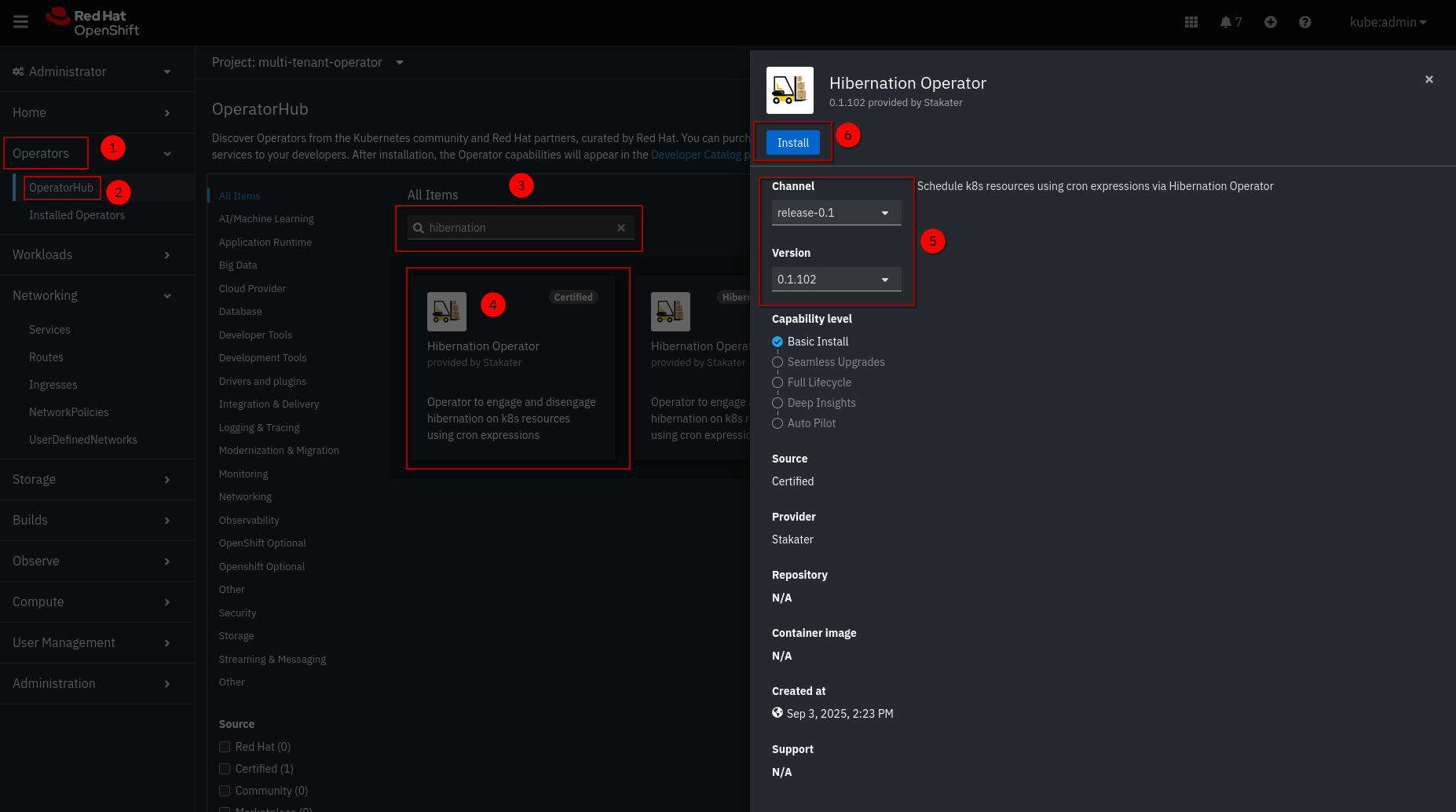
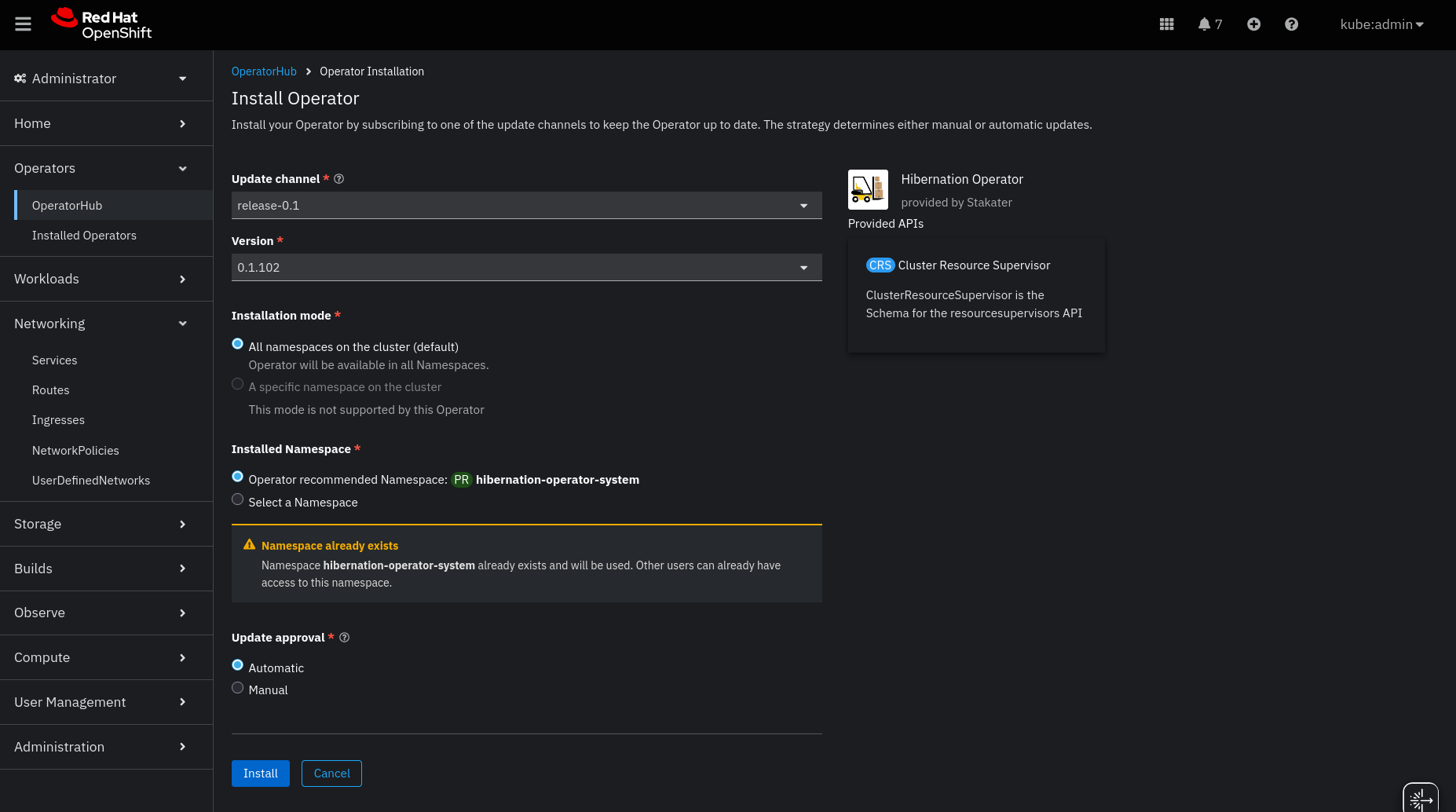
- Configure the installation:
- Update channel:
release-0.1 - Installed Namespace: Select
hibernation-operator-system(create if it doesn’t exist) - Update approval:
Automaticfor developmentManualfor production (allows review of upgrades)
Click Install.
- Wait for the operator to install. You’ll see a status of Installed operator: Ready for use when ready.
- Once installed, the Hibernation Operator is ready to manage hibernation policies across your cluster.

Note: The operator is installed in the
hibernation-operator-systemnamespace by default.
Installing via CLI or GitOps#
Use this method for automation, CI/CD pipelines, or GitOps workflows (e.g., with ArgoCD).
Step 1: Create the Operator Namespace#
oc create namespace hibernation-operator-system
Step 2: Create an OperatorGroup#
oc create -f - << EOF
apiVersion: operators.coreos.com/v1
kind: OperatorGroup
metadata:
  name: hibernation-operator
  namespace: hibernation-operator-system
spec: {}
EOF
Step 3: Create a Subscription#
oc create -f - << EOF
apiVersion: operators.coreos.com/v1alpha1
kind: Subscription
metadata:
  name: hibernation-operator
  namespace: hibernation-operator-system
spec:
  channel: release-0.1
  installPlanApproval: Automatic
  name: hibernation-operator
  source: certified-operators
  sourceNamespace: openshift-marketplace
  # Optional: pin to a specific version
  # startingCSV: hibernation-operator.v0.1.102
EOF
GitOps Tip: Commit these YAMLs to your GitOps repo to manage the operator declaratively.
Step 4: Verify Installation#
In the OpenShift Console:
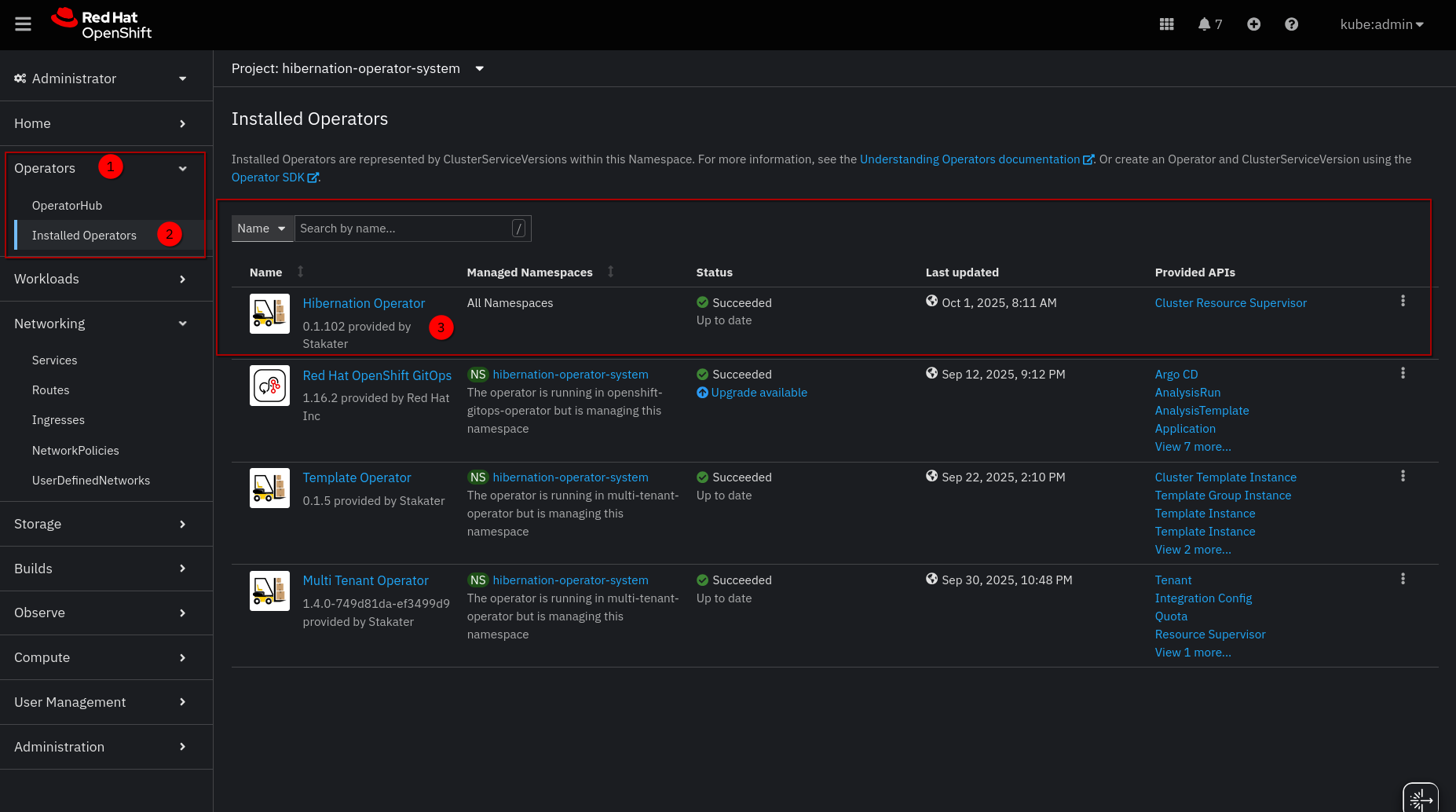
- Go to Operators → Installed Operators
- Select the
hibernation-operator-systemproject - Confirm the Hibernation Operator status is Succeeded
Or via CLI:
oc get csv -n hibernation-operator-system
oc get pods -n hibernation-operator-system
Wait until the hibernation-operator-controller-manager and hibernation-operator-webhook pods are Running.
Notes#
- It integrates natively with OpenShift workloads (
Deployments,StatefulSets) and ArgoCD (if installed). - For production, use Manual approval and test upgrades in a staging cluster first.
- Full CRD documentation:
ClusterResourceSupervisorResourceSupervisor- API Reference — generated field reference